Scorecard01 / 04
Where they land
A gauge on the bands you set, with the score behind it.
Bands and scoring per check
Quizzes, assessments and lead forms
ViralSales builds short checks that score a reader's answers on screen, draw them as a scorecard, and then offer the plan behind it by email. One line of code puts them on any site.
A live check: click through it. Nothing you answer here is stored.
Running on our own sites first
 mariopeshev.comGrowth bottleneck and advisory bench checks
 CEO HangoutMembership fit check
 Robust BrandingService router
 SaaS BPMProcess maturity check
How it works
Most lead forms ask for an email before they give anything back. A check that answers first earns the email with something the reader has already seen.
What a reader walks away with
A gauge on the bands you set, with the score behind it.
Bands and scoring per check
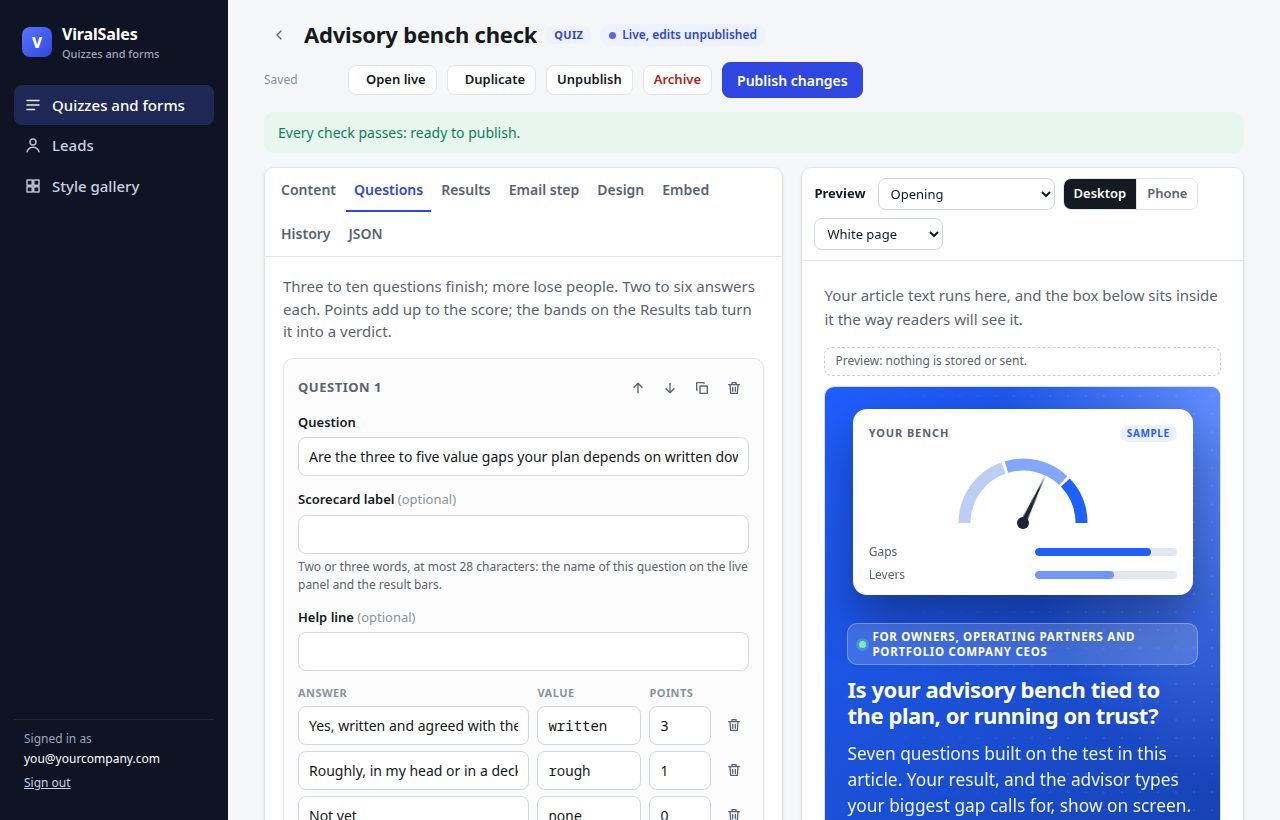
Every answer graded against the best answer to its question.
Ranked by the gap
Advice cards matched to the answers, linking into your article.
Up to three, in order
Offered after the result and sent once from a verified sender.
The only step that asks for an email
Styles
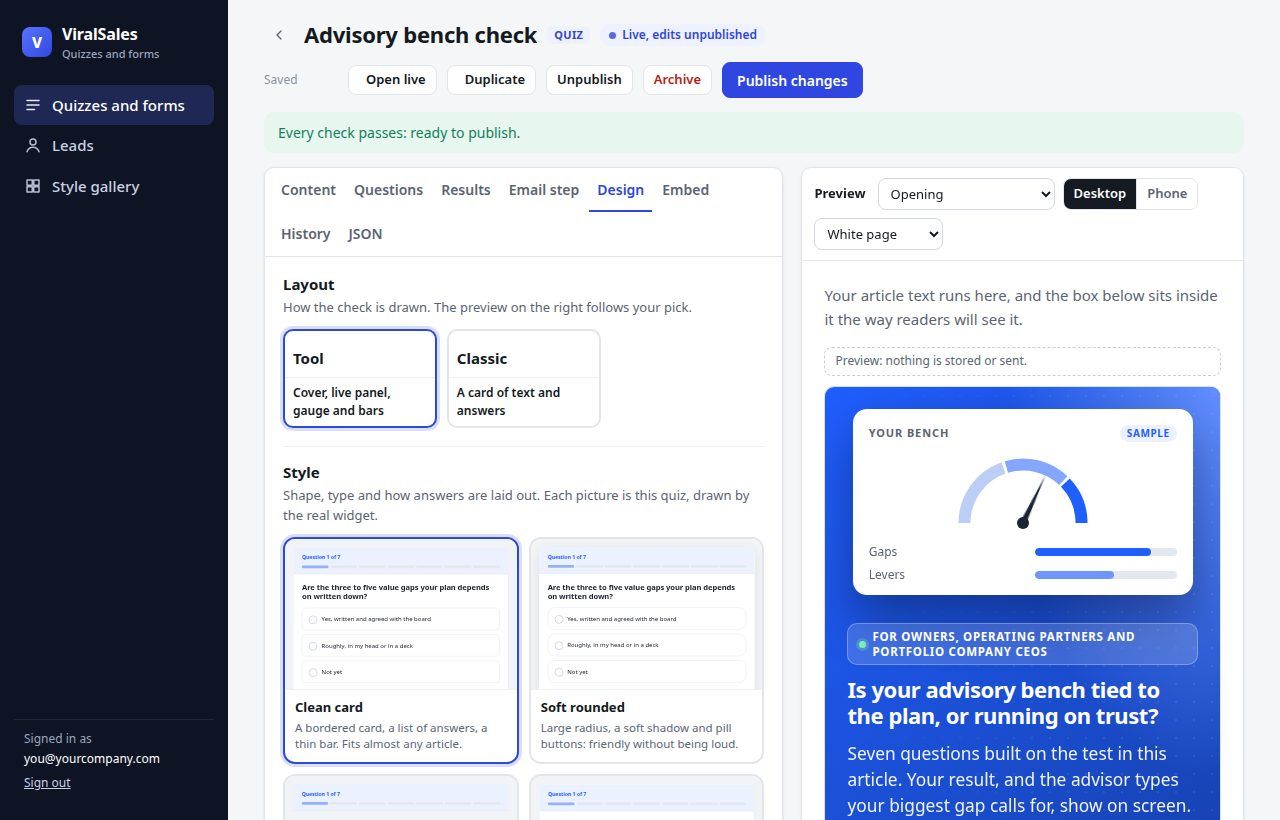
Pick a style for the shape and a palette for the colours, or let the check take the colours and fonts of the site it sits on. Custom CSS goes on top, inside the box, so it never touches the rest of the page.
Every palette is checked for contrast: text, muted text, buttons and answers stay readable.
Opt-ins, when there is no tool
Name the offer and pick what it is. The widget draws it in your palette: a guide cover, a checklist, a newsletter issue, a template, a report, a webinar, a toolkit or a calendar, and puts it in the page, a popup, a slide-in or a bar.
Embed
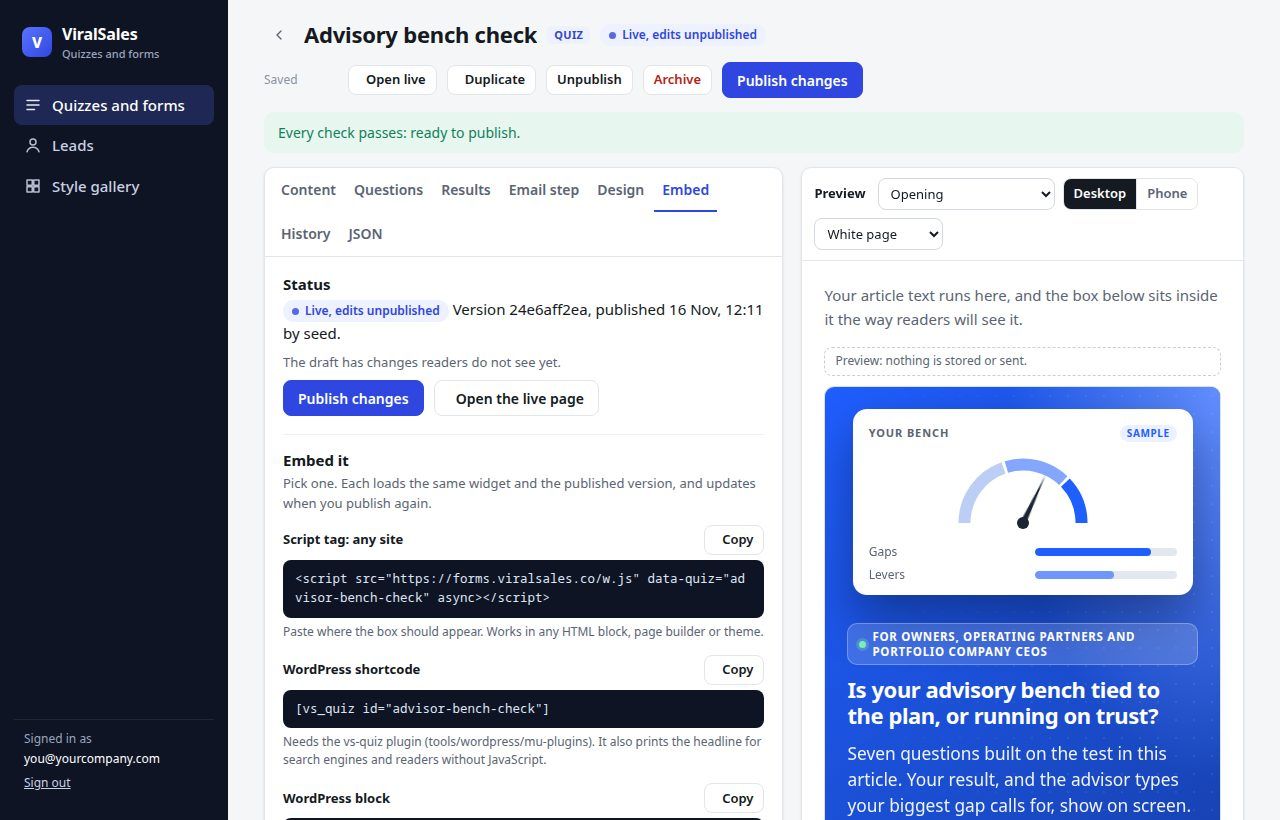
The same check, published once, goes wherever your readers are. Edit it in the dashboard and every page that embeds it shows the new version within a minute.
The dashboard
Questions, scoring, result cards, the email step, layout, styles and embed codes in one editor, with a live preview by step and by device. Leads arrive in a table you can export, and every one goes to review for a reply.
Tell us what you would build
Say what your readers come to your site to decide, and we write back with the check we would build for them. This form is a ViralSales form too.